EMET Electronic Medical Twin
  1. EMET Education
  2. For physicians

For physicians

Explain the injury and its treatment to your patient, in 3D

3D models you set during the visit from your patient's workup. They leave with their model on their phone, in their language.

Designed by an orthopedic surgeon

In your browser, nothing to install, no sign-up. Free to show the diagnosis; the patient never needs an account.

The challenge

Explain, help them remember, support informed consent

A radiograph or an MRI means little to a patient, and only 12% of U.S. adults have proficient health literacy (National Assessment of Adult Literacy). What they hear during the visit is soon forgotten, and their family was not there. EMET Education shows them their own injury in 3D, then the treatment you recommend, and leaves it all with them to review at home.

During the visit

You set the model from the exam and imaging: location, type, stage, using the reference classifications. The patient sees what you see, from the angle you choose.

After the visit

They scan the QR code: their model, their findings and the proposed treatment follow them on their phone, in their language. They review them with their family, as often as they like.

How it works

Four steps, a few minutes

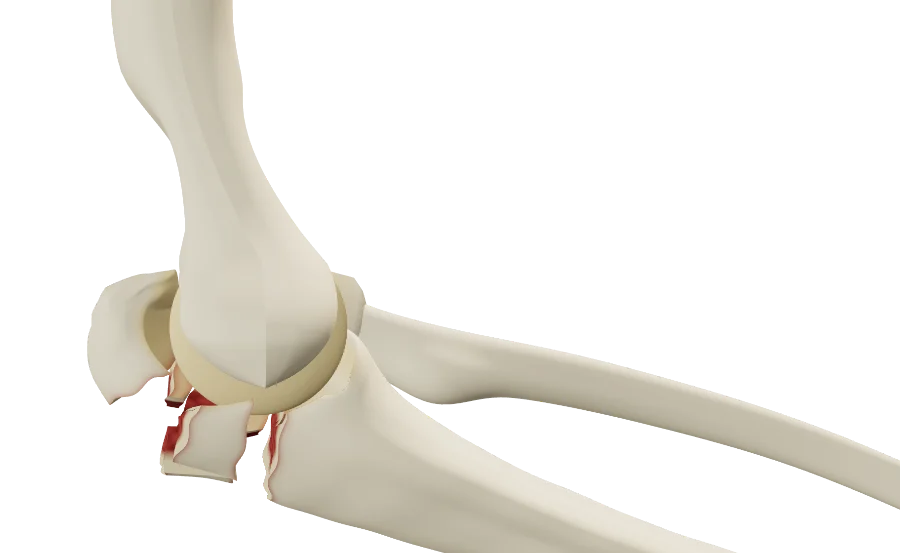
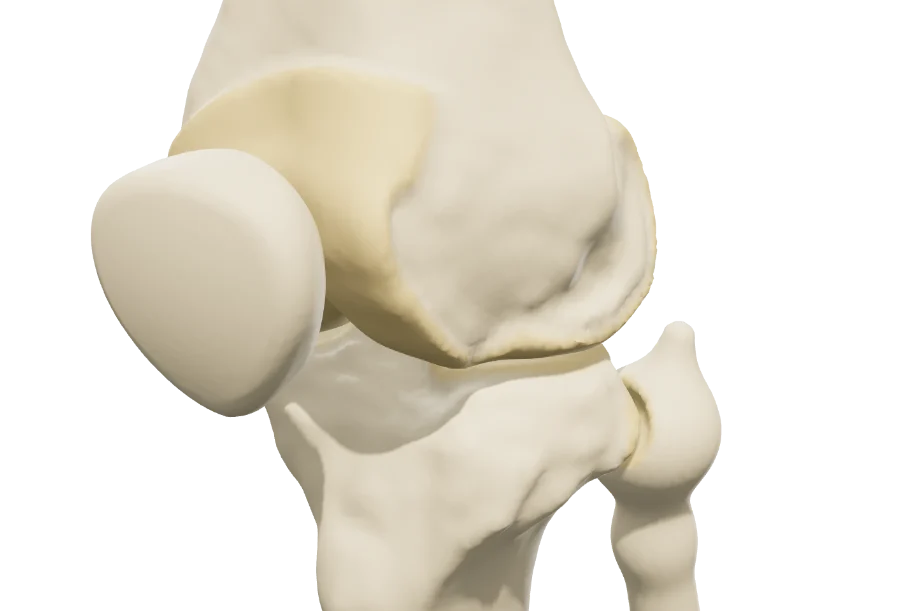
The images below are real screenshots of one model, the clavicle fracture.

Set the lesion from the workup

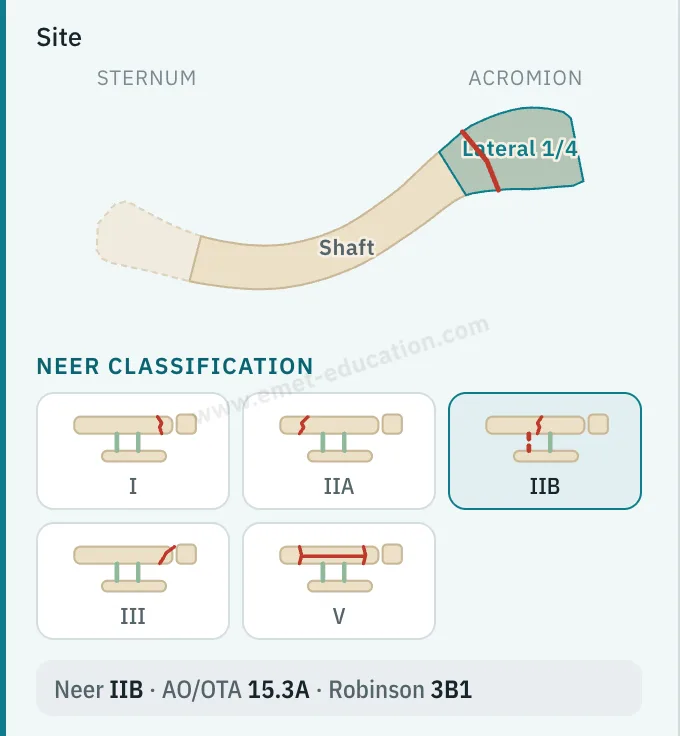
The “Pathology & lesions” panel describes the lesion in specialist vocabulary, and the reference classification is displayed live.

  • Location, type, stage, displacement: each setting changes the model in front of the patient.
  • The standard classifications for each condition.
Clavicle model panel: location diagram, lateral third selected, Neer classification pictograms, IIB selected.
The setting, in the model panel

Walk through the proposed treatment

The treatment plays step by step, continuously or one step at a time: nonoperative, rehabilitation, injection, arthroscopy, fracture fixation or arthroplasty, depending on the model.

  • Each procedure builds on the lesion you set.
  • The patient reviews it at home, at their own pace.
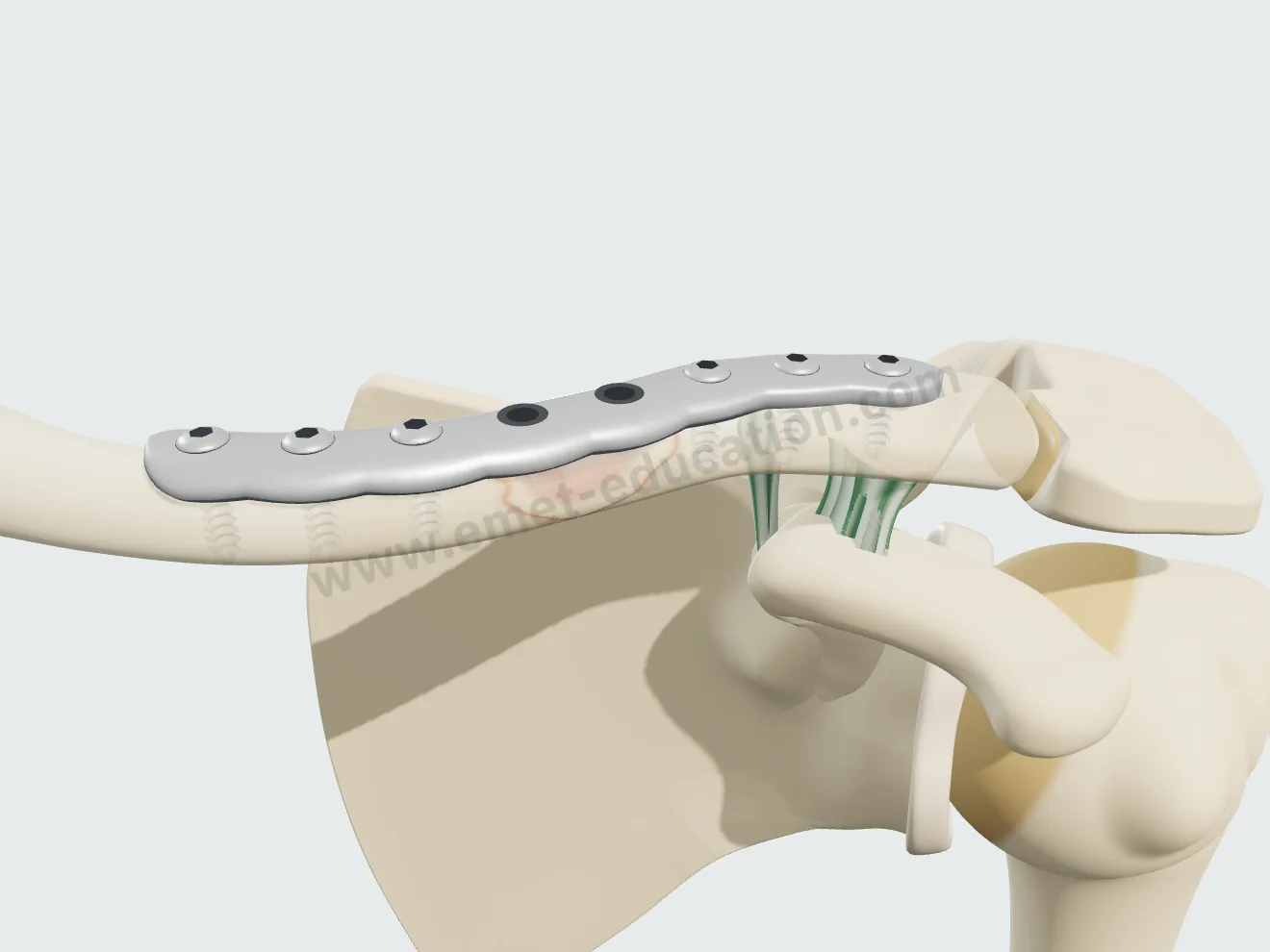
Clavicle plate fixation, screw step.
One step of the procedure: the plate screws

Let every structure explain itself

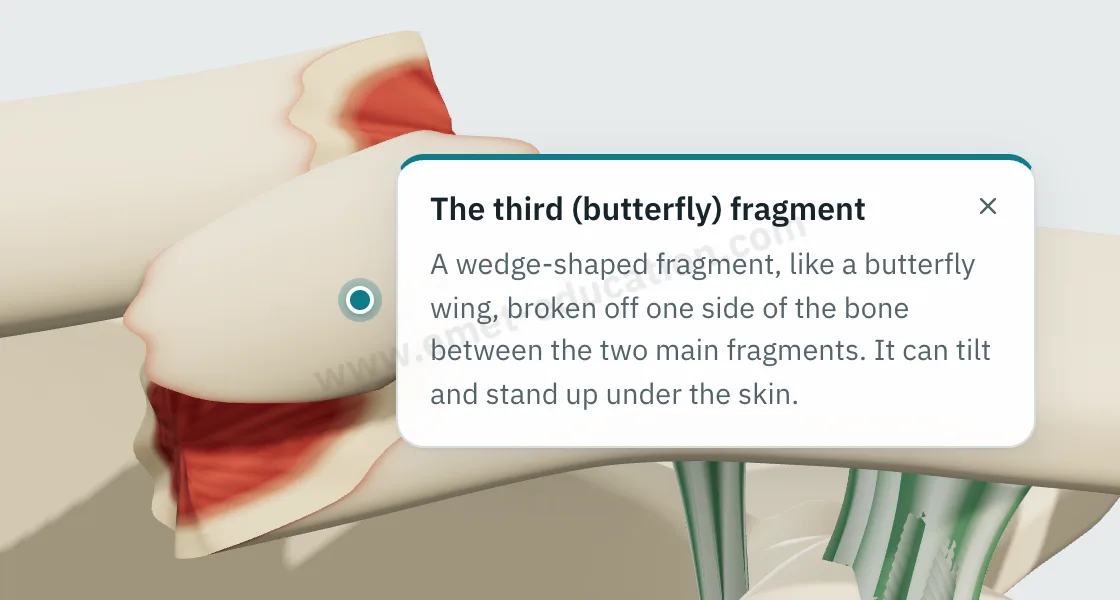
Tapping a bone, a fragment, a ligament or an implant shows its name and an explanation written for the patient, in their language.

  • Useful during the visit, and for the patient reading on their own.
Explanation bubble “The third (butterfly) fragment” shown after tapping the fragment.
“What is this?” on tap

Hand the model over to the patient

At the end of the visit, the Consultation panel shows the anatomical findings, the proposed treatment and a QR code. The model image downloads for the chart and prints.

  • The patient finds the model exactly as you set it.
  • No identifying data in the link.
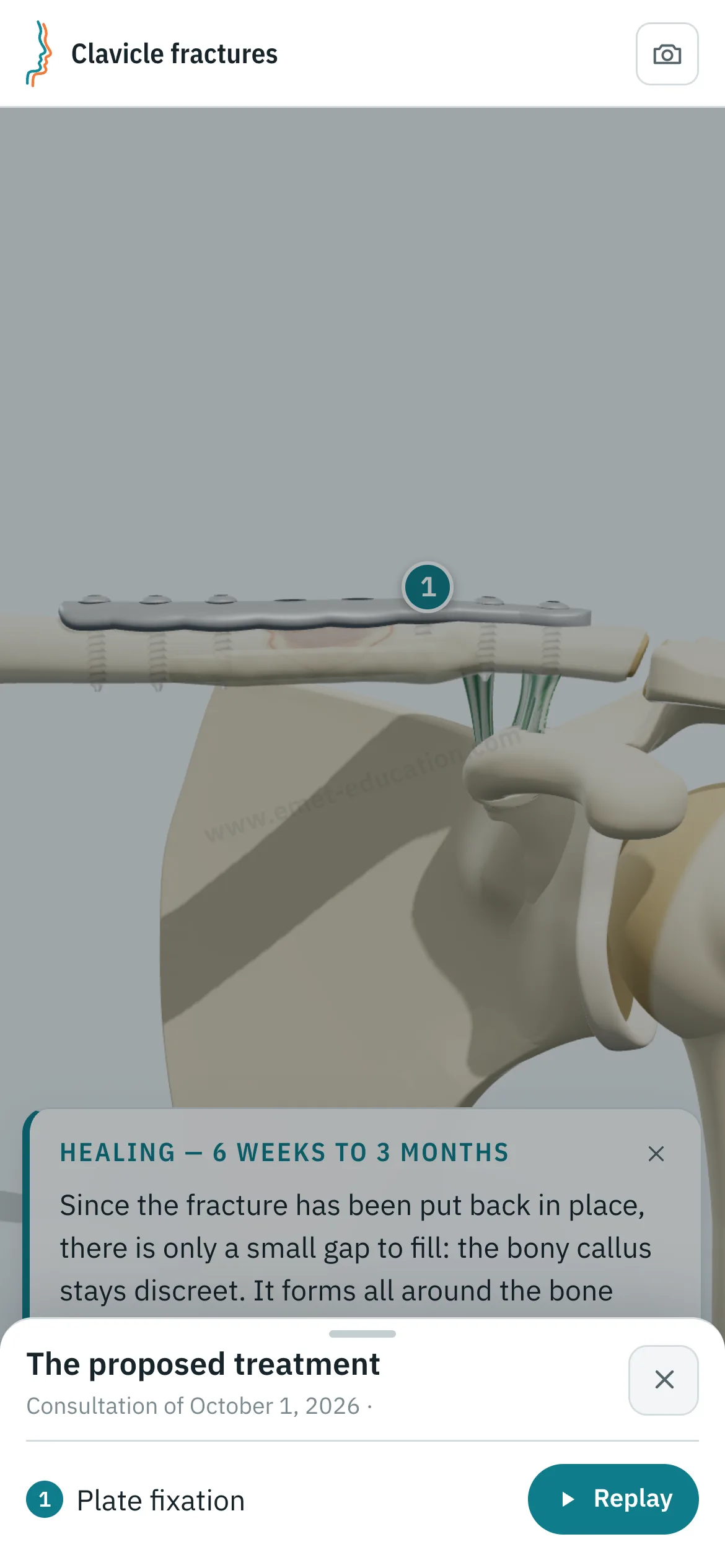
Patient view on a phone: the clavicle after plate fixation, and the “The proposed treatment” panel with the “Replay” button.
What the patient sees after scanning the QR code

Who it's for

For every physician who explains

The same models serve every stage of care, from the emergency department to rehabilitation. The settings use specialist vocabulary; the explanations given to the patient are written for them.

  • Orthopedic surgeonThe surgical indication, the proposed procedure step by step, informed consent.
  • Sports medicine and PM&RThe injury, its mechanism, nonoperative treatment and what rehabilitation will restore.
  • RheumatologistOsteoarthritis and tendinopathies, injections, referral to surgery.
  • Emergency and primary careThe fracture or dislocation seen acutely, initial treatment, next steps in care.

Try it with your next case: the models open in your browser, nothing to install.

See the 3D models

Plans

From the free plan to the most complete

The free plan is enough to show patients their diagnosis; paid plans add treatments and customization. The patient never needs an account or a subscription.

Free

Show patients their diagnosis.

  • Every model
  • Pathologies and movements: the essentials
  • Animations: a few seconds' preview
  • Not included: Treatments
  • Not included: Outcomes and risks
  • Not included: Custom texts and postoperative protocol
  • Not included: Your logo on what the patient takes home

Pro

The whole model, from diagnosis to treatment.

  • Every model
  • Every pathology and movement
  • Full animations
  • Treatments
  • Outcomes and risks
  • Not included: Custom texts and postoperative protocol
  • Not included: Your logo on what the patient takes home

Max

Models made your own.

  • Every model
  • Every pathology and movement
  • Full animations
  • Treatments
  • Outcomes and risks
  • Custom texts and postoperative protocol
  • Your logo on what the patient takes home

Studio: custom work for large practices and industry, with animations of your techniques and implants.

Patient information

Quality information, documented

Each visit created with an account keeps a record of the information provided: what was shown, when, and whether the patient reviewed it. Informed consent, as the Joint Commission puts it, is more than getting a signature.

  • Saved and datedThe exact state of the model: injuries shown, treatment proposed.
  • Identical, archivableThe patient receives what you showed; the image goes in the chart and prints.
  • TrackedEach time the patient opens the link is recorded.
  • AnonymousThe link given to the patient carries no identifying data.

“Document the informed consent conversation and the patient’s (or surrogate’s) decision in the medical record in some manner.”

AMA Code of Medical Ethics, Opinion 2.1.1, Informed Consent

Educational tool: it supports the consent conversation and the written consent form, it does not replace them. Data and privacy: legal information (in French).

Questions

Questions from colleagues

Are the models free?

Yes: the free plan opens every model, to show patients their diagnosis: most conditions and lesions. Treatments and other features are paid options.

Does the patient need an account?

No, never: they scan the QR code or open the link, without signing up, whatever your plan.

Does the physician need an account?

Not to open a model, set the lesion and walk through the treatment. After about fifteen adjustments, you will be asked to create a free account: it saves your visits, picks them up from one time to the next, and records when the patient opens the link.

What equipment do I need?

Just a web browser, nothing to install: computer, tablet or TV screen in the exam room; the patient opens it on their phone. One click saves an image, without the interface, for the chart.

What happens to patient data?

No patient names are stored. The link given to the patient carries only the state of the model: lesion, treatment, language and visit date. A name written on the image you hand out stays on that image.

How long does it take in clinic?

A few adjustments and one procedure played: a few minutes, during the visit. The patient reviews it at home, as often as they like.

Is it a medical device?

No: it is an educational tool. It does not diagnose, does not plan surgery, and does not replace the consent conversation or the written consent form. Among software functions that are not medical devices, the FDA lists those intended for general patient education and interactive anatomy diagrams used for training.

Can I embed it on my website?

It is planned for upcoming plans: the model displayed on a practice or hospital website, credited to EMET Education.

Which languages?

English, Spanish, French and Russian. The patient receives the model in the language chosen during the visit, which helps with the roughly 28 million people in the U.S. with limited English proficiency, alongside a qualified interpreter, not instead of one.

Design

Who designed these models

Models designed by Dr. Mikaël Chelli, orthopedic surgeon, based on the reference classifications of each condition. Updated October 1, 2026.

Try them with your next patient

The models open in your browser, nothing to install, no sign-up.

Know a colleague who could use it? Email this page ·